
Your team started with Jira because it's the industry standard. Or Trello, because it was free and you just needed a list.
Now the board has 47 custom fields you never use, workflows that send tickets to three different approval states, and a backlog where stories from 2022 still sit untouched. Sprint planning takes an hour because everyone has to click through screens that don't relate to the work.
This isn't a failure of your team. It's a mismatch between the tool and how you actually work. Small teams of 3–15 people don't need enterprise configuration. They need a board that shows today's work, a backlog that ranks what's next, and a retro board with private feedback and three votes per participant.
This article walks through when to migrate, how to prepare, what to bring over, and how to keep the old tool running alongside the new one for a sprint. No need to close Jira on Friday and panic on Monday.
When does a team outgrow its tool?
A tool has outgrown your team when:
- It takes longer to update a ticket than to do the work. You spend minutes on fields, transitions, and screens that don't affect your daily work.
- Custom fields replaced conversation. Someone added a "QA Signed Off" checkbox, then a "Security Reviewed" dropdown, then a "Documentation Updated" radio button. Nobody checks them, but everyone fills them in.
- The backlog is a graveyard. There are cards from two years ago that nobody dares to delete because they're "tagged to an epic."
- Sprint planning is configuration work. You spend more time dragging cards through statuses and updating fix versions than discussing the actual work.
- Retros feel like an afterthought. The board supports retros in theory, but nobody uses the feature because it's buried three menus deep.
Jira and Trello are excellent tools for the right teams. Jira works well for large organisations with compliance requirements and release trains. Trello is great for simple workflow tracking when you don't need points, sprints, or velocity. But for a Scrum team of 3–15 people building one product, the middle ground is where the simplicity lives.
What to clean up before migrating
Migration is not a move. It's a clean break. Here's what to resolve before exporting anything.
1. Close or cancel everything older than six months
If an issue hasn't been touched in six months, it isn't in the backlog. It's deferred. In Jira, bulk-close all issues older than six months with a resolution of "Deferred." In Trello, archive every card that hasn't had a comment or due date change since last quarter.
The only exception: tasks linked to compliance or regulatory requirements. Those go in a separate workspace with their own retention policy.
2. Agree on what "Done" means — and delete anything that doesn't match
If your team uses a Definition of Done, run every open issue against it. Anything that doesn't fit (a card that says "Research cloud providers" without an acceptance criterion, for example) is a note, not a task. Create it in your new tool's Notes section, or keep it in a wiki. Don't import it as a task.
3. Merge duplicate cards
In Jira, this usually means duplicate bugs where two people filed the same crash. In Trello, it's the same checklist card on three different boards. Merge them now. A duplicate in the old tool becomes a mystery in the new one.
4. Decide which epics are alive
An epic that nobody expects to start in the next three months gets a label: "Parked." It doesn't come over to the new tool. The new tool should show only what the team is actively working on or planning.
What to migrate and what to leave behind
Every import tool makes trade-offs. Here's what the Northwind Mobile Banking team considered when they moved from Jira.
Northwind has four people: Sam Rivera, Priya Shah, Tom de Vries, and Lena Novak. They build a mobile banking app. They have three active epics (Onboarding redesign, Instant payments, Accessibility audit) and Sprint 14 is running with a goal of getting customers to sign up and send their first payment.
When Sam looked at their Jira instance, it had 1,200 issues, 14 custom fields, and a workflow with nine statuses including "Awaiting Product Owner" and "Peer Review Required." Their team used exactly three statuses: Doing it, Checking it, Done.
Migrate these
| What | Why |
|---|---|
| Open tasks in active epics | You're sprinting on them now |
| Open tasks in planned epics | You'll pull from them next sprint |
| Current sprint or iteration content | Don't lose this week's work |
| People (mapped to their new accounts) | Assignee continuity |
| Comments with decisions | Why something was done matters |
| Due dates and priority | Urgency and deadlines |
| Bug type flag | Track defects separately |
Leave these behind
| What | Why |
|---|---|
| Closed tasks older than three months | You have the export if you need it |
| Custom fields that aren't priority, type, or points | They created the overhead you're escaping |
| Complex workflow states (all nine of them) | Your team uses three. Simplify. |
| Sprint history from six months ago | Velocity is forward-looking |
| Attachments (screenshots, logs) | Download what you need, leave the rest |
| Issue links between unrelated projects | They won't cross into the new tool |
The source note option
Some imports let you add a source note: a closing line in the description that shows the original issue information. This includes the old key, parent references, and tags. It's useful for the first sprint when someone asks "Where's JIRA-442?" and you can point them to the note. After that sprint, it's clutter. Turn it off for the final migration pass.
How imports work
Good import tools don't ask you to start over. They read what you have and lay it into a sensible structure.
When you connect to Jira, the tool reads your projects over the API. It maps statuses based on their category (To Do, In Progress, Done) and suggests a lane for each one. It brings across the title, description, priority, assignee, creator, due date, and comments. Everything that matters for a small team.
Trello imports work from the board's JSON export. No API key needed. Lists become lanes, card names become titles, checklists stay as checklists. Labels set the type (Bug, Feature, Improvement) and priority. Comments come through as long as they're within the board's latest 1,000 actions.
Zoho Projects exports to CSV. Both the task export and project export are required. The tool warns you if columns are missing and shows what won't come across.
Asana uses a personal access token over its REST API. Sections become lanes. Each task's comments are read during the import, not during the analysis. The mapping screen notes that comments will be included during import.
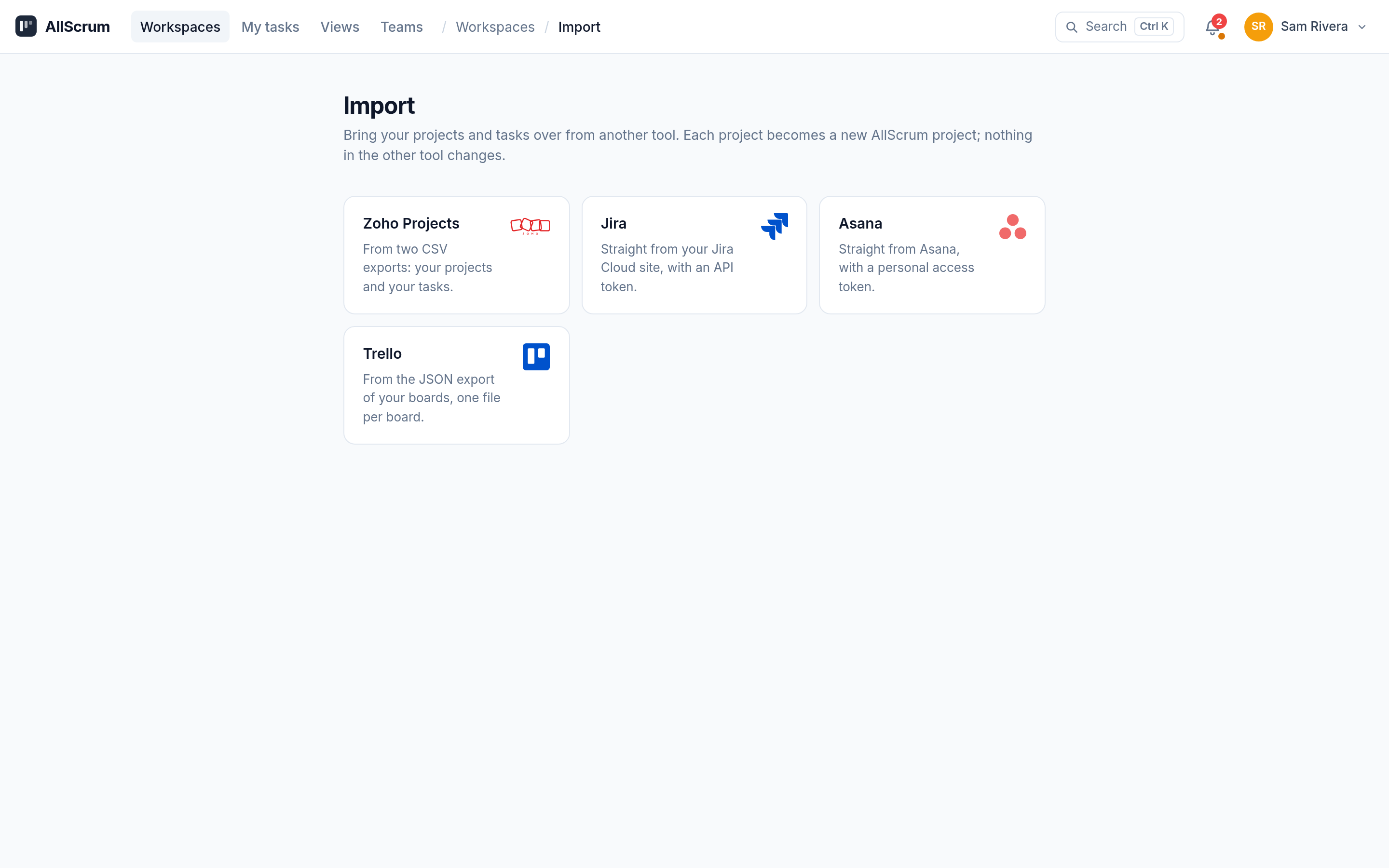
The Northwind Mobile Banking migration example
Northwind decided to migrate. Here's what Sam and the team did.
Week before: Sam cleaned up their Jira. 82 issues older than six months were bulk-closed as deferred. 14 duplicate bug reports were merged into the original ones. Two epics ("ATM Locator" and "Bill Splitting") had no activity in the last year and were moved to a separate "Parked" board in Jira that didn't come over.
Saturday morning: Sam ran the import. He connected to Jira with his site, email, and API token. The import suggested lanes: To Do, In Progress, Review, and Done — matching their new team agreement. The only manual step was mapping a custom status "QA Passed" to Done and "Awaiting Deploy" to Review. Two team members weren't matched because their Jira display names didn't match their AllScrum accounts. Sam fixed the mapping on screen.
The import ran quickly. The relevant tasks came over, linked to Sprint 14 or the backlog. The three active epics were created automatically because Jira issue types Epic were mapped to the new Epic feature.
Monday standup: The team opened the old Jira for questions, but they worked from the new board. Within three days, nobody touched Jira. The next week, Sam exported the old project to CSV and JSON for their records.
Running both tools side by side: the one-sprint overlap
Don't cut the old tool off on the Friday before the migration. Run both for exactly one sprint. Here's the ground rule:
The new tool is the source of truth for sprint work. The old tool is a read-only reference for anything that didn't come across.
This means:
- All new work gets created in the new tool.
- Sprint planning, daily updates, and retrospectives use the new tool.
- If someone asks about a Jira issue that wasn't imported, you look it up in the old tool and then decide if it needs to come over.
- Nobody opens old tickets in the old tool to "just update the status." If it's worth tracking, it gets a card in the new tool.
After the sprint, export the old project one last time for archival, and then either archive the old tool access or keep a read-only account for historical reference.
What about the backlog?
A backlog is a ranked list of planned work. It's not a dump of every idea anyone ever had.
When you import, your backlog in the new tool should contain only what you intend to pull into the next sprint or two. Everything else goes to the bottom or gets removed. If your old tool had 200 items in the backlog, bring over the top 40 that are actually ranked and clarified. The rest can stay in the old export until someone digs them out.
Northwind's import brought over the relevant tasks. The backlog had items that were clearly defined and ranked. The rest were in the running sprint or parked in epics that were active. That's a manageable backlog for a team of four.
Clean up the migrated data
Once the import finishes, the new board will look like the old one — which means it has your old problems. Take an hour with the team to:
- Rename tasks. Jira summaries often read like "Make the thing not crash." Sprint planning is a chance to rewrite them as "As a user, I can complete my registration without hitting an error on the last step."
- Remove empty epics. If an epic came over with zero uncompleted tasks, remove it. Deleting an epic keeps its tasks, so you won't lose work.
- Set story points. Your velocity is your own history. Old point values may not make sense after the move. Re-point if the team wants a fresh baseline.
- Review assignee. Tom de Vries, on the Northwind team, found three tasks assigned to him that he'd never seen. They stayed on his list because they were old Jira tasks that auto-assigned. The team re-assigned them to the right person or closed them.
Exporting for your records
Before you turn off the old tool, export your project in CSV and JSON. A CSV export gives you one row per task with all the fields: project, key, title, description, status, type, priority, assignee, dates, story points, and comments. A JSON export includes epics, meetings, notes, and sprint history.
The export downloads as a plain link. Exporting is always available if you ever need to move again.
Common mistakes
Migrating everything "just in case." The one time you need that 2019 compliance issue, you'll find it in the export. Don't bring it into the active workspace.
Not mapping people correctly. If the old tool uses "John Smith" and the new tool uses "[email protected]", the import may not match. Check the people mapping on the import screen before running the import.
Keeping the old tool open for "reference." A read-only account is fine. But if people keep logging in to the old tool to "check something," they'll keep using it. Archive the project after one sprint.
Adding all the custom fields back. The import brought over priority, assignee, type, and tags. You don't need "Environment" or "Customer Impact" on every card. Put that information in the description if it matters, or leave it out.
End-of-migration checklist
Ready to move? Start a free account at allscrum.com.